

Introducing The New Neighbors Digital Banking
Enjoy improved features, enhanced navigation, and an all-around better experience. Everything is just better.
A Better Banking Experience Is Almost Here
Literally Everything Is Better
From navigation to security tools to budgeting features, we've improved all aspects of our digital banking and we'll be adding new features along the way.
Everything You Love, Plus Some
You’ll still have the features you already know and trust, plus new tools built to give you even more control over your finances.
This is more than just and update.
It’s a smarter, more intuitive way to bank.
More convenience. More control.
Soon, Neighbors members will enjoy a refreshed online and mobile banking platform designed to make everyday banking easier, faster, and more personalized.
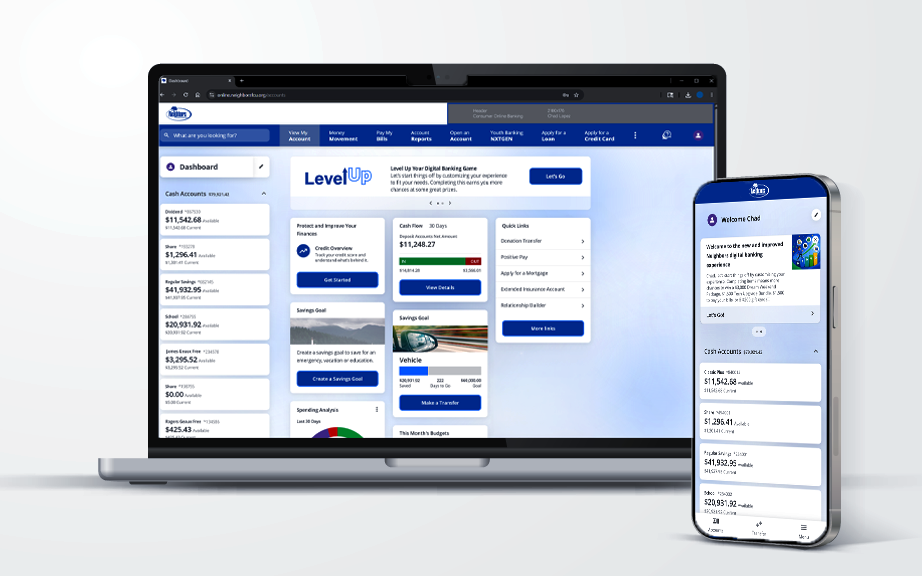
A Sneak Peek At What's Coming
- A cleaner, more modern experience
- Faster, simpler navigation
- Enhanced card controls and security tools
- Built in budgeting and financial wellness features
- Better spending insights and account visibility
- Easier access across desktop and mobile
New Digital Banking FAQs
We’ve upgraded your online and mobile banking experience to make managing your money easier, faster, and more secure.
No. Simply log in using your existing credentials, then complete a quick first-time sign-in to reset your password. You’re welcome to reuse your previous password if you’d like.
Your username will stay the same.
For security, you'll be asked to reset your password the first time you log in. If you prefer, you can create a new one or keep it the same.
Your upgraded online banking will be available on July 14, 2026.
No problem. Use the “Forgot Username” or “Forgot Password” links, or contact us and we’ll help you get back in quickly.
Yes. Your accounts, balances, and transaction history will all be there when you log in.
You may need to re-connect any external accounts. Once you’re in, just follow the quick checklist to make sure everything is set up the way you want.
You'll be able to:
- Customize your dashboard so what matters shows first
- Manage your cards in one place
- Set savings goals and track progress
- Message us securely inside digital banking
- Enjoy a modern, streamlined experience across devices
No. Your current app is simply getting an upgrade — no download required.
If you’ve saved the login page, you’ll need to delete that bookmark and access online banking through our updated website. Once you’re there, be sure to save the new page for easy access going forward.
Yes. Security is a top priority. This upgrade adds enhanced protection to help keep your information safe.
We’re here for you. Call us at 225-819-2178, stop by one of our branches, or send us a secure message once you’re logged in.